Garage Openers
 Garage Springs
Smart garage door opener offline: start with the door
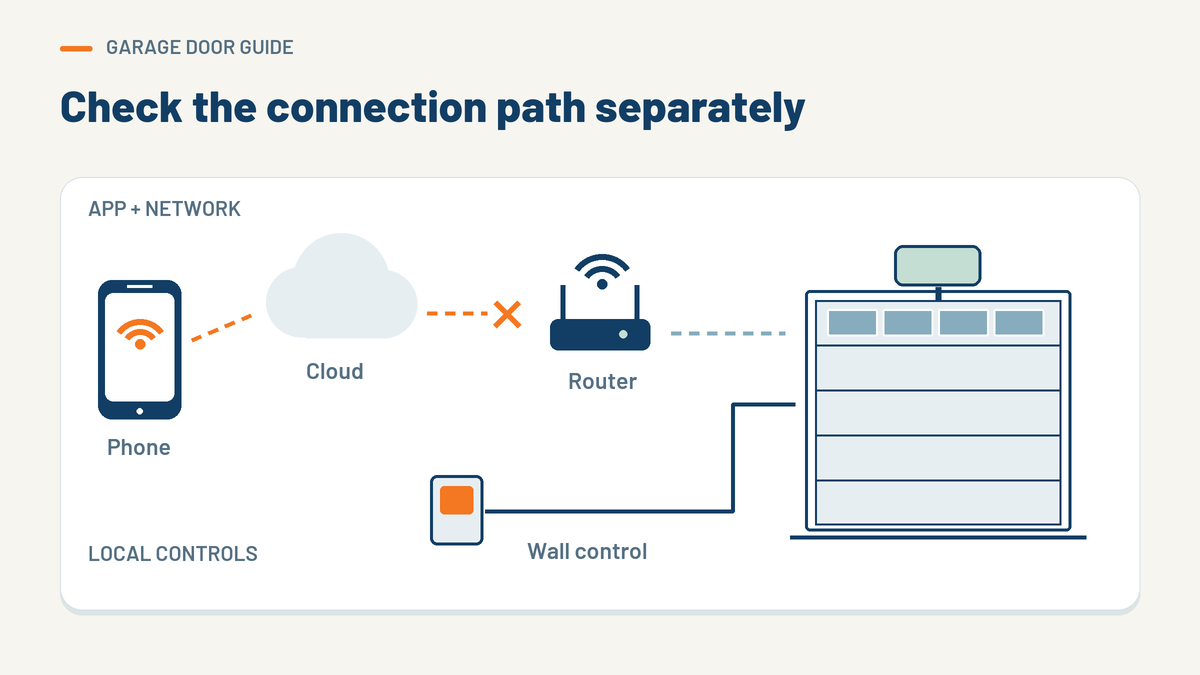
A smart garage door opener offline message usually identifies a communication problem, but it does not tell you whether the door is safe to move. If the wall control and handheld remote operate the door normally, investigate the app, account and network connection first. If the door is crooked, has a hanging cable, makes a new grinding noise or has a visibly broken spring, stop operating it and arrange an inspection.
Check from inside the garage with the opening in view. Keep people and objects clear. Do not send repeated app commands, increase opener force or bypass a safety device to make an unresponsive door close.
Garage opener app offline but remote works
If your garage opener app is offline but the remote works, the troubleshooting path differs from a door that will not move with any control. Use this comparison to describe the symptom, not as a final diagnosis. If an opener app goes offline while the remote and wall button still work, write down whether it followed a router replacement, Wi-Fi password change or owner transfer. Identify whether the opener uses direct Wi-Fi or a separate hub. When all local controls also fail, opener repair can check the motor and power first.
| What you observe | What to check next |
|---|---|
| Wall control and remote work normally; app is offline | Account, home internet and the opener or hub's connection status |
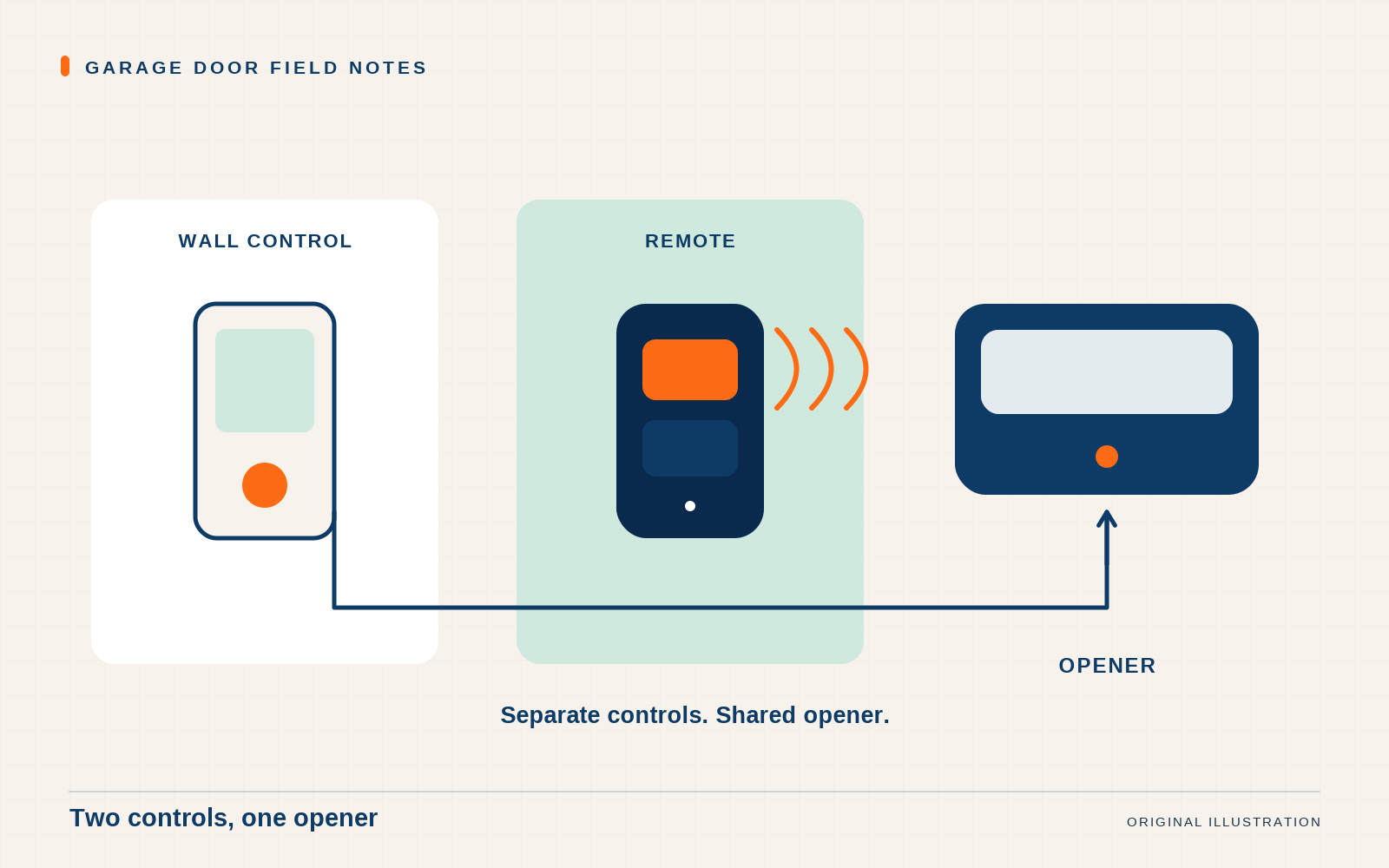
| Wall control works; remote and app behave differently | Investigate each control separately; a radio problem need not be a Wi-Fi problem |
| No control works and the unit appears unpowered | Visible power indicators and the manufacturer's power troubleshooting instructions |
| Motor runs or hums but the door does not move | Stop cycling it; investigate the mechanical or opener fault |
Our guide to a remote that fails while the wall button works covers the radio-control branch. If you hear motor noise without movement, use the opener hums but the door does not move guide instead.
Garage door opener Wi-Fi not connecting: identify the missing link
Garage door opener Wi-Fi not connecting symptoms can involve several separate links: the opener or retrofit hub to your router, the router to the internet, and the device to the manufacturer's service. Your phone also needs its own working connection.
First confirm that you are signed into the intended account and viewing the correct garage. Check the manufacturer's current service-status notice if one is available. Then see whether another device on the home Wi-Fi can access the internet. A phone silently using cellular data can make a home internet outage easy to miss.
Record the opener or hub's indicator color and pattern, then compare it with the manual for that exact model. Similar-looking products can use different status lights.
Check recent network changes before resetting the opener
Check recent network changes before resetting the opener: a replacement router, new network name, changed password or relocated access point can explain why a previously reliable connection stopped. A door sensor or separate hub may also need attention even when the opener itself has power.
- Identify whether Wi-Fi is built into the opener or supplied by an add-on controller.
- Confirm the saved network still exists and the credentials are current.
- Use the exact model's supported Wi-Fi bands and security requirements; do not assume every smart opener uses the same setup.
- Assess coverage where the opener or hub is installed, not only beside the router.
- Follow the manufacturer's reconnect procedure after a network change.
Do not disable router security or change advanced network settings at random. If other household devices also lose connection, start with the internet provider or network support.
Restart versus factory reset
A restart versus factory reset decision matters because these actions do different things. Restarting power can help a stalled connection; a factory reset may erase programming, account association or other saved settings, depending on the product. Read the model-specific instructions before either action.
If the manufacturer recommends a restart, keep the doorway clear and follow its sequence. Do not open electrical housings or reach an inaccessible ceiling outlet unsafely. Once power returns, allow the device to reconnect and check its status before doing anything else.
A device associated with a previous owner calls for an ownership-transfer procedure, not repeated Wi-Fi setup attempts. Follow our garage access checklist after moving into a home to separate those tasks.
Verify the app and actual door position
Verify the app and actual door position together after connectivity returns. While standing where the door is visible, compare the displayed status with the physical door. For an add-on controller, follow its manual if the position sensor reports an error or needs attention.
Only test an otherwise normally operating door, with the opening clear and under observation. If the app reports the wrong position, says a command failed or shows an unresolved warning, stop remote operation and investigate. A screen saying closed is not a substitute for checking a door when its status is uncertain.
When garage door opener repair is the right next step
Garage door opener repair is the right next step when the local controls also fail, the door moves abnormally, or model-specific troubleshooting identifies an opener fault. We can inspect the door and operator and explain which part of the system needs work.
For garage door opener repair, have the model number, exact app message, indicator pattern and results of the local-control comparison ready. Also note when the problem began and whether the router or account changed. Those details help separate a connection issue from a mechanical problem without replacing parts on a guess.